Project Structure
If you’ve ever set up a standard Maven or Gradle project, Karate will feel familiar. But it has a specific way of organizing things that’s actually quite refreshing. Instead of burying your logic in deep directory trees, Karate keeps things flat and accessible.
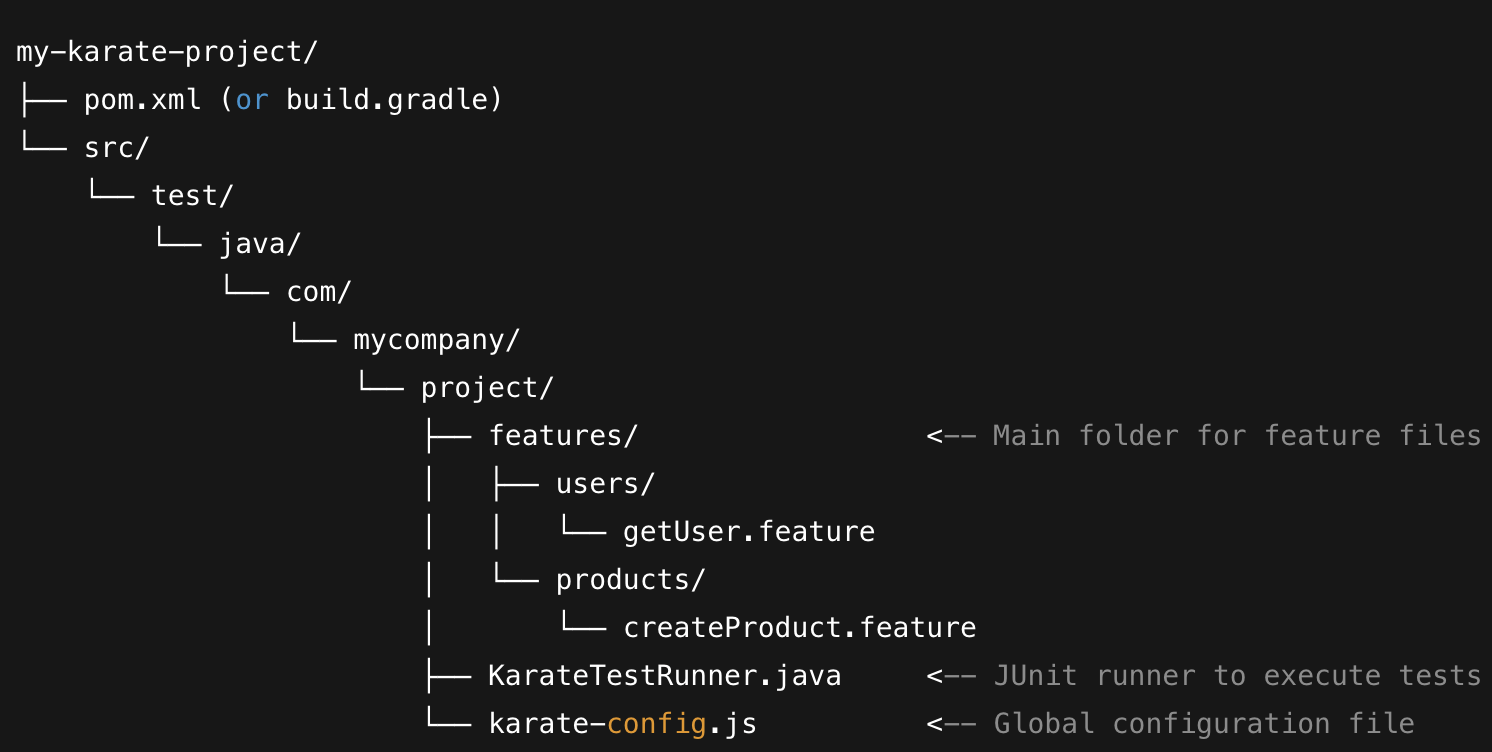
Here is how a no-nonsense Karate project usually looks:
Key Components Explained
**pom.xml / build.gradle ** This is your standard entry point. You just pull in karate-core and a JUnit runner. It handles your dependencies and makes sure the project is ready for any CI/CD pipeline without extra magic
**src/test/java ** This is where the action happens. In a departure from traditional Java testing, your .feature files and Java runners live side-by-side. You don't have to hunt through different folders to find the code that actually runs your test.
**Feature Files (.feature) ** These are your actual test scenarios. I usually group them by business domain—like /users, /products, or /orders. It makes the project much easier to navigate when you have hundreds of tests.
**KarateTestRunner.java ** Think of this as the "trigger." It's a lightweight Java class that tells JUnit to go find and run your feature files. It’s what you’ll click "Run" on inside your IDE
**karate-config.js ** The "brain" of the setup. This JavaScript file is loaded before anything else. It’s the perfect place to centralize your base URLs, auth tokens, and timeouts. Since it’s environment-aware, switching from dev to prod is usually just a one-line change in your terminal.
Why this works
The main reason I prefer this structure is minimal boilerplate. You aren't wasting time writing "glue code" or mapping complex file paths. It’s a lean setup that scales—new team members can usually look at this folder structure and start writing their first test in minutes, not days. It keeps the focus on validating the API, not fighting the framework.