Feature Files & Gherkin Syntax
The reason Karate feels so "low-code" isn't just marketing—it’s because of how it handles Gherkin. Usually, Gherkin is just a wrapper that needs a lot of Java code underneath to actually work. Karate flips this. It maps Gherkin steps directly to API actions. No "glue code," no extra layers.
How it actually looks in practice
In Karate, you use the standard Gherkin keywords, but they do the heavy lifting immediately:
-
Feature: This is your high-level bucket. I usually name it after the API or the specific business flow I’m testing.
-
Background: Think of this as your "pre-flight checklist." If every test in the file needs the same Auth header or Base URL, you put it here once.
-
Scenario: This is a single, isolated test case.
-
Given / When / Then: These describe your flow (Preconditions -> Action -> Outcome).
The real magic? You don't need a separate Java file to explain what When method get means. The Karate engine already knows. This keeps your project tiny and makes your tests look like actual documentation rather than a programming puzzle.
Example: getUser.feature
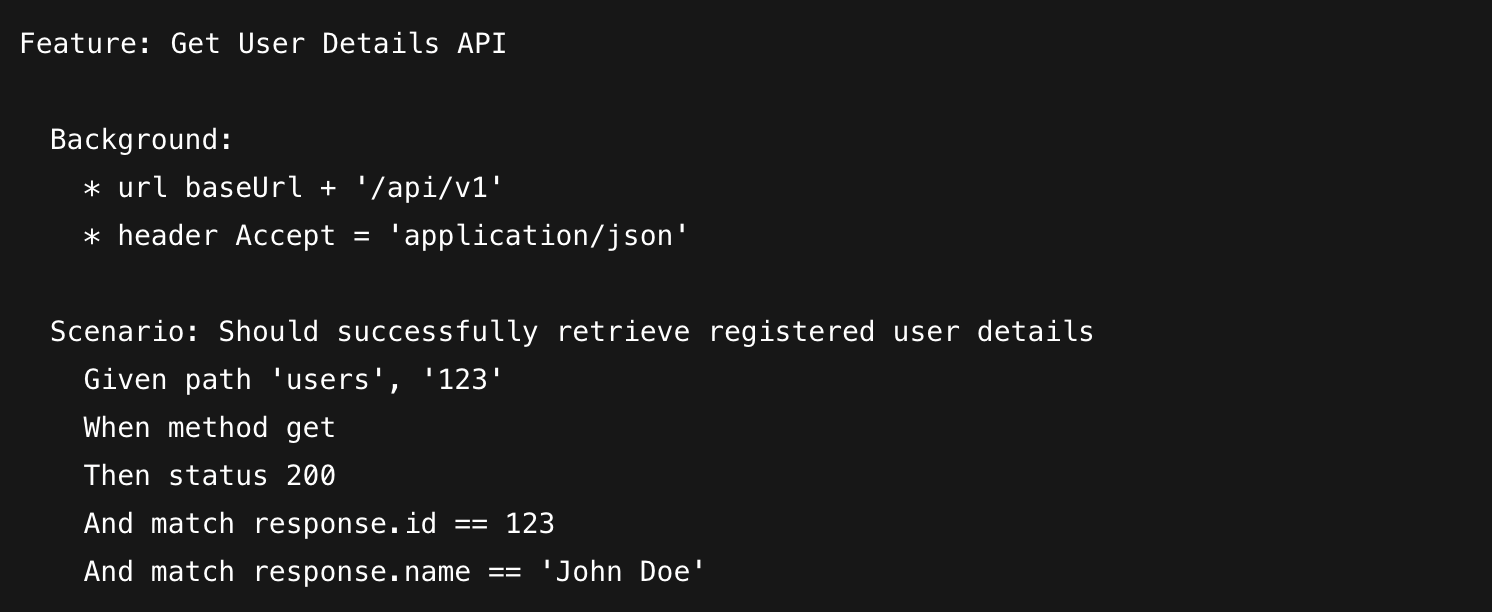
In this snippet, anyone—even someone who doesn't code—can see exactly what's happening. We’re hitting a specific user endpoint and expecting a 200 OK.
Why we find this useful
By making Gherkin executable, you stop wasting time on "translation." In older frameworks, half your time is spent making sure the Gherkin sentence matches the Java method perfectly. In Karate, that friction is gone. Your tests stay readable as they grow, and since there’s no fragile "glue" between the text and the execution, your suite is much harder to break. It’s about getting fast feedback without the maintenance headache.